Categories
Computers and Internet

A SPDY end to web site content sharding?

With the advent of Google’s SPDY improvements to the HTTP protocol, could we see an end in sight to the practice of sharding content on web sites?

In the news today (from The Register) Google report a 15% increase in speed when using SPDY to communicate to their web services from Chrome browsers. The SPDY technology seems to establish a single TCP session in which multiple HTTP like requests are managed in an efficient manner. It means, for instance, that multiple requests can be processed concurrently rather than the two (or six in recent browsers) per domain limit.

The practice of content sharding is used, in part, to achieve a similar effect. It allows browsers to believe they’re downloading from different servers and so they can initiate more concurrent connections. Another benefit is in reducing the payload of cookies by using domains the cookies haven’t been set for.

SPDY should take care of all of this for us. And, in fact, using separate domains to serve images, CSS and Javascript will perform worse with SPDY as there will be multiple TCP sessions established. So, assuming this technology becomes more widely available on the server side, we should probably start selectively sharding content on the basis of the capabilities of the user agent.
Technorati Tags: ,,,
Categories
Computers and Internet

EU Cookies Directive & eCommerce Analytics

Article 66 of this set of directives, http://eur-lex.europa.eu/LexUriServ/LexUriServ.do?uri=OJ:L:2009:337:0011:0036:En:PDF, from the Official Journal of the European Union states that:

“Third parties may wish to store information on the equipment  of a user, or gain  access to information  already stored, for a number of purposes, ranging  from the legitimate  (such as certain  types of cookies)  to those involving unwarranted intrusion into the private sphere (such as spy­ware or viruses). It is therefore of paramount importance that users be provided with clear and comprehensive information when engaging in any activity which could result in such storage or gaining of access. The methods of providing information and offering the right to refuse should be as user-friendly as possible. Exceptions to the obligation to provide information and offer the right to refuse should be limited to those situations where the technical storage or access is strictly necessary for the legitimate purpose of enabling the use of a specific service explicitly requested by the subscriber or user. Where it is technically possible and effective, in accordance with the relevant provisions of Directive 95/46/EC, the user’s consent to processing may be expressed by using the appropriate settings of a browser or other application. The enforcement of these requirements should be made more effective by way of enhanced powers granted to the relevant national authorities.”

It’s not clear to me what “third parties” constitutes, but I assume it does not include the owner of the website the user is visiting. So Google Analytics / Ominiture Site Catalyst would count as a third party.

It’s possible you could interpret the use of an eCommerce site as a user explicitly requesting the service of browsing products for the purpose of purchasing. If you could, then the storage of analytics tags could be interpreted as being necessary to provide an effective browse and purchase experience through process of analysis and improvement. Then it might pass as being the “legitimate purpose of enabling the use of a specific service explicitly requested by the subscriber or user”. It does feel rather tenuous though.

This is all personal opinion and is not legal advice. Please seek somewhere else to pin the blame if you get taken to court for not asking your customers for permission to store cookies!

Categories
Computers and Internet

Solid State Hard Drives

Over the years I’ve built up a few PCs by researching and buying components then stitching them all together. I always strived for the highest performing computer I could buy without breaking the bank. Recently I discovered that the single best way of increasing my computers’ performance by changing a single component is by replacing the hard drives with solid state drives (SSD).

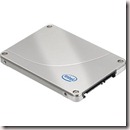
Solid state drives are essentially some kind of random access memory packaged into a box with hard drive data and power connections that can be used anywhere a normal hard drive could be used. There are a several different types of SSD drives, but the most common are the 2.5” Flash Memory based drives. The 2.5” means that they’re designed to fit in the standard space inside a laptop. The “flash” bit means that they retain their data even when there’s no power, as per a flash USB memory stick. There are other, faster, versions based on DRAM that require an on-board battery or a constant external power supply to retain data.

I upgraded my home PC with a Samsung 256 GB drive and my work laptop with an Intel X25-M 160 GB drive. These are both 2.5”. In order to install the Samsung drive in my home PC I needed to purchase a caddy, such as this Akasa Dual 2.5” mounting kit. It just pads out the space so that you can mount the drive in a standard PC 3.5” drive bay.

The capacity of the drives at the moment isn’t comparable to that of traditional drives (with 2 TB drives currently available for £135), so at home I keep all my photos, videos and music on traditional hard drives (2 x 400 GB, using RAID 1 to offer some level of data safety) and leave the SSD ones for applications.

If you follow the links to those drives on the Overclockers site, you’ll see that they’re not that cheap. However, the speed increase I’ve achieved on both systems is excellent. Application start up time is a fraction of what it used to be on the same machines. Search performance is noticeably faster in both Outlook and Windows in general. The whole system seems somewhat snappier. I had been thinking about building another PC from scratch with a faster CPU and more memory, but having made the SSD upgrade I doubt I’ll bother for another year or so.

It’s worth noting that if you’re upgrading to an SSD you’ll probably be wanting to install your operating system on that drive too. It’s a good time to upgrade to Windows 7, which is what I did. Great OS.

Thanks to Avanade UK’s “gadget allowance” for funding these purchases!

Technorati Tags: ,

Categories
Computers and Internet

DeskSpace

I’m trying out an application to provide multiple desktops on my PC with a 3D cube effect for navigating between them. It’s called DeskSpace and was introduced to me by Ben Taylor. Have a look at it in action.

It provides six virtual desktops, one for each side of the cube. A short cut key (for me, Windows+Alt) zooms out to see the cube view whereupon the arrow keys or mouse wheel can be used to rotate the cube. Translucency helps you work out which way to rotate to access your applications. You can also ‘throw’ applications through the edge of one desktop to move them over to another, or quickly navigate to a particular application via a system tray icon.

It’s not a new application. It’s been around for a couple of years, in fact, and possibly as a result it seems quite stable. It works with XP and Vista (plus Vista x64).

Ben and I were talking through how it works. It seems to freeze each desktop into a bitmap image at the point you switch desktops, so updates to another desktop are not visible in the cube (unlike Vista’s card deck Windows-Alt feature). There is also occasional task bar application shuffling when shifting to a new desktop, indicating that it might be selectively hiding applications rather than maintaining multiple desktops in the fashion of multi-monitor desktop extensions.

Not sure how much of a memory hog it is – 4GB of memory sort out most issues – but it is reporting a working set of 150MB (not 150K as I previously stated!)

There’s a 30 day trial and then the per-person (yet multi-machine) licence is currently $24.95 US.

Technorati Tags: ,
Categories
Computers and Internet

Google Latitude Background Updates

I’ve installed Google Latitude on my HTC Touch HD, which came packaged as a new version of Google Maps, and can now see myself labeled on the map. Hoorah. Now all I need are a view friends with it installed.

One issue I can see, though, is that it does not seem to be updating my location in the background, if the blue dot on the map is anything to go by. I have to make Google Maps the foreground application for it to re-determine my location. Maybe the Android version works better.

Technorati Tags: ,
Categories
Computers and Internet

ReSharper 4 Released

ReSharper 4 has been released by JetBrains. I blogged about it previous here so I won’t go over lots of old ground. Just as a reminder, this version supports C# 3, including LINQ. Very much recommended as a tool. If you want to try it out then there’s a 30 day free trial. Additionally they’ve started a partner scheme whereby existing licencees (including me) can introduce people to the tool by way of a 60 day trial with discounts to licence costs should those people buy a licence at the end. So get in touch if you want to give it a go.
Categories
Computers and Internet

ReSharper 4.0 Beta Released

ReSharper is a fantastic add-in to Visual Studio, and the latest revision of it is now available for download as a beta. There’s a 30 day free trial period available, and I really would encourage any C#, VB.NET or ASP.NET programmers to try it out. I could try and convince you with talk of code-time compilation warnings, super intelligent statement completion, refactoring an order of magnitude more featureful than Visual Studio, but in the end the best argument for why you’ll want to buy this product is based on how much more productive you’ll be when you use it.

This next version has the usual batch of new refactorings, but the major story is its support for C#3 and LINQ, with specific refactoring for these.

Here’s the link to the download for the beta: Link to The Most Intelligent Add-In To Visual Studio

If they’re operating the same model as for previous releases then you may well be able to download successive revisions to the tool and restart your 30 day trial each time. With version 1 of the tool I was going for a full three months without paying a thing. I did subsequently purchase it (out of Avanade’s gadget allowance) and I think it has been worth every penny. I reckon you’ll think the same.

Categories
Computers and Internet

ProClarity Analytics Server “Migrate Repository” Hangs

ProClarity Analytics Server (PAS) is a web site providing storage of OLAP ‘report’ definitions and caching of the resulting reports. The ‘reports’ are organised by a hierarchy of libraries, briefing books and views. The metadata for all of this is stored in a database.

In order to copy these libraries, books and views between servers, ProClarity/Microsoft provide a feature in a tool called PAS Administration. There is a "Migrate Repository" button that leads to a wizard where a source and target database are specified. On the last page of this wizard is a "Migrate" button to begin the work.

Typically the migration should take under a minute. However, after performing the migration many times we were finding the migration took longer and longer – up to six hours in the end!

My colleague Dan Meacham ran profiler to check what it was up to. It turns out there’s a table called SecurityTimeStamp against which it issues a "Select *…". I’m not sure what causes insertions into this table, but on the various PAS servers we checked there were between 70,000 and 1,200,000 rows in this table!

A swift "TRUNCATE TABLE SecurityTimeStamp" on the source database brings the migration time back down to a few seconds again.

We’re using version 6.2. Version 6.3 exists and may fix the issue without resorting to dodgy database hacks. Nevertheless, I hope this saves other people a bit of time.


Categories
Computers and Internet

Useless PowerPoint discovery of the day…

PowerPoint prints hidden slides by default.

Tell me, why am I preparing training material? Not quite in the job description of a developer…

Technorati Tags:
Categories
Computers and Internet

Microsoft Office Groove 2007 folder sync not supported for Vista x64

"Groove" is an offering from Microsoft to enable teams to collaborate by sharing documents and other items between colleagues within a company and customers/partners outside of the company. It provides a ‘workspace’ in which files can be shared. In a simpler mode, one can choose a folder in Windows Explorer and select to share it through Groove.

When using a workspace, there is some integration with SharePoint in that documents can be checked in and out of an accompanying document library, but SharePoint is not a requirement for Groove. Documents are available offline, unlike just using SharePoint, and synchronized when on line.

Anyway, the point of this post was just to highlight to people that if, like me, you went to the trouble of installing the 64 bit version of Vista, the folder synchronisation tool does not work. This feature, arguably the feature that gives the product a purpose in life, does not work for 64 bit OS’s. I hope this gets rectified soon.

In the mean time I am back to using "FolderShare" for, well, sharing folders. It seems to just work, no matter whether it’s Vista x64 or 32 bit Win XP. Microsoft own this tool too!